See It in Action
Review and approve MAA requests from start to finish.
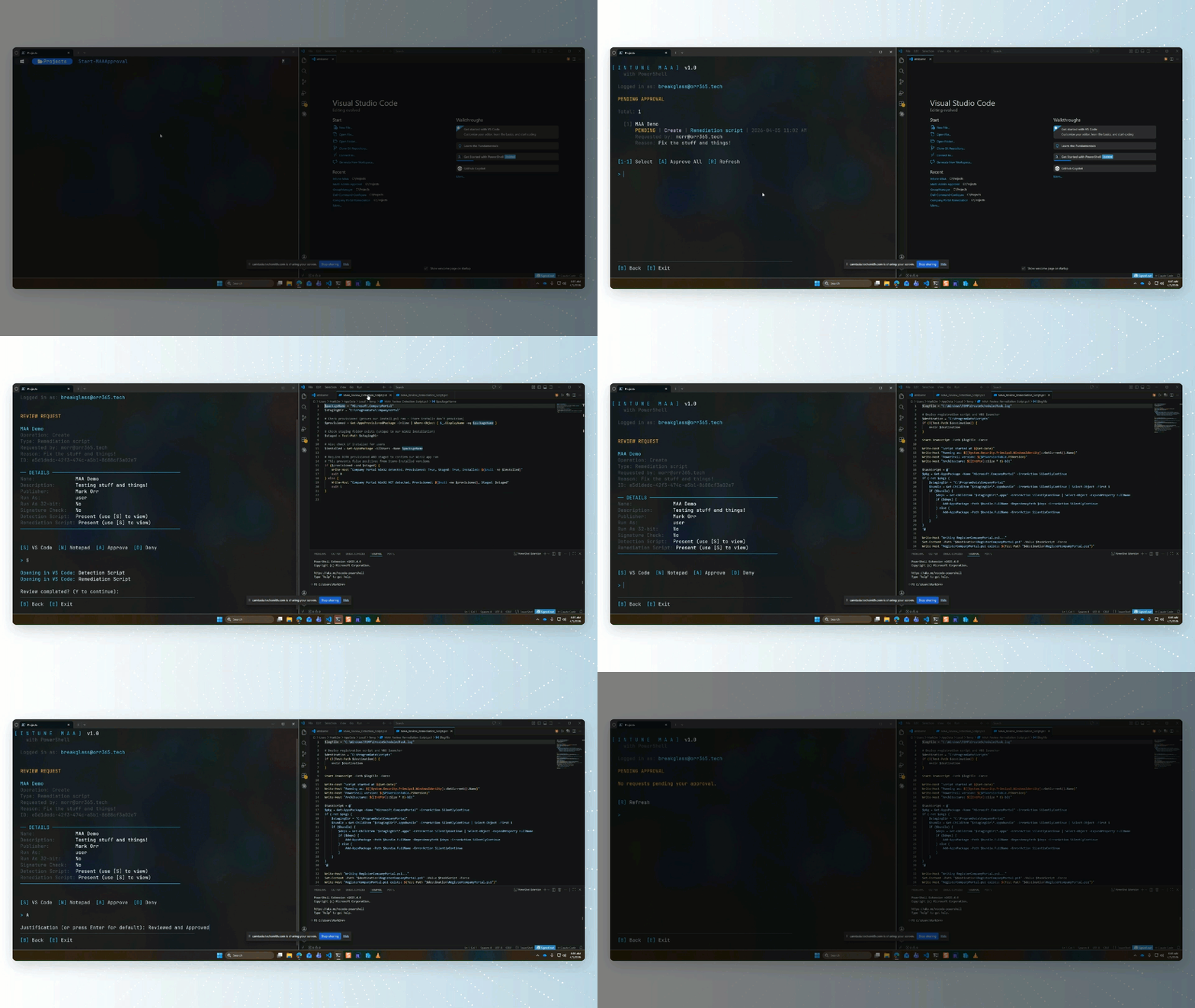
Manage Intune Multi Admin Approval requests from your terminal.
Review, approve, and deny MAA requests — one PowerShell command.
v1.0.6 · PowerShell 7.0+Everything you need to manage Intune MAA requests.
Interactive TUI for browsing pending approval requests, viewing details, and taking action — all from your terminal.
Approve or deny individual requests with justification, or bulk approve all pending requests in a single flow.
View detailed payload summaries including settings, assignments, and script content. From the request review screen, press S to open in VS Code or N to open in Notepad for a full review.
See at a glance whether assigned groups contain Users, Devices, or Mixed membership, along with the member count — right on the assignment line.
Works out of the box with no app registration. Auto-installs required modules on first run — just install and go.
Optionally bring your own app registration with Configure-IntuneMAA for full control over authentication.
Automatically checks PowerShell Gallery for new versions on launch and prompts to update with the correct install method.
Works on Windows and macOS with PowerShell 7. Browser-based authentication with full Conditional Access support.
Supports apps, configuration profiles, compliance policies, scripts, Autopilot, update profiles, enrollment configs, and more.
Single PowerShell module with no heavy dependencies. Quick version checks via Gallery redirect — no slow API calls.
Review and approve MAA requests from start to finish.
Up and running in two commands.
Navigate the TUI with ease.
| Shortcut | Action |
|---|---|
| 1-9 | Select a request |
| A | Approve / Approve all |
| D | Deny request |
| S | Open payload in VS Code |
| N | Open payload in Notepad |
| R | Refresh request list |
| H | Help |
| B | Go back |
| E | Exit |
Full coverage of Intune resource types.
Required delegated permissions when using a custom app registration.